Yes, it's free. Download the PDF if you want to print right away, or the Excel or Google Sheets version if you'd rather rename the categories first. All three hold the same complete set of labels.
- Home
- Leading Self
- Debt Payoff Planner Templates
- Organize Personal Finances
Financial Records Label Template (Free Printable PDF/Excel/Sheets)
Download our free financial records label template to easily get organized. Organizing your personal finances is not just a “money task” – it’s an act of self‑leadership. When you decide to bring order to your financial life, you’re taking responsibility, creating clarity, and building confidence in every decision you make.
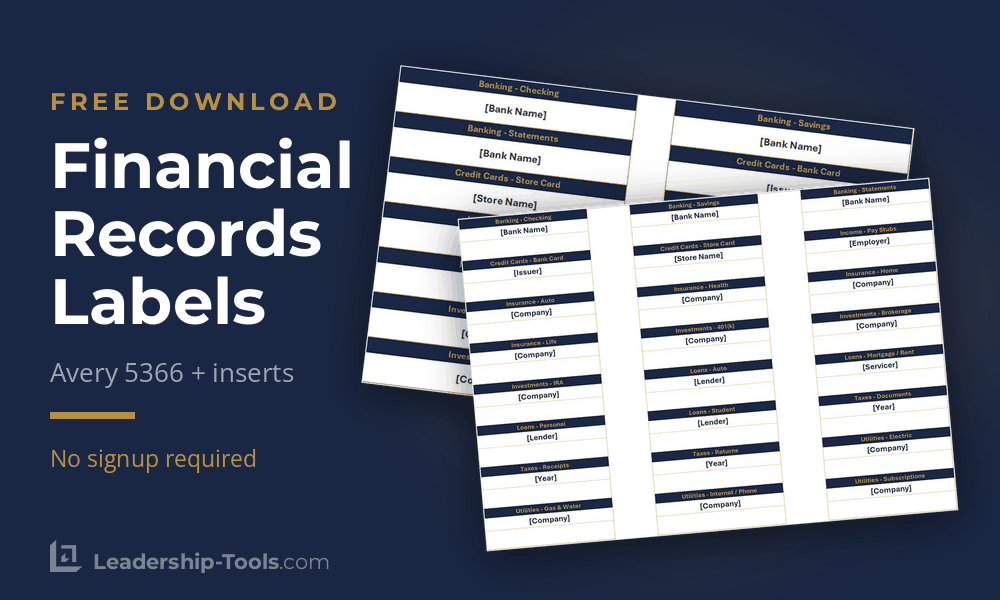
Download Personal Finance Records Label Template:
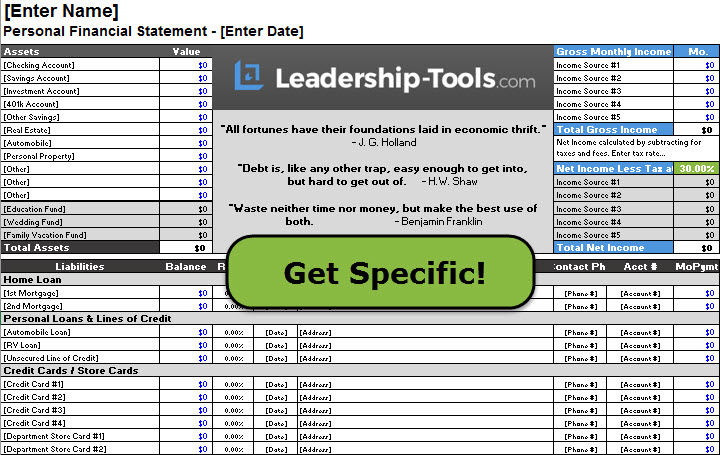
This page gives you a practical tool to do exactly that: a free Financial Records Label Template you can download and use immediately. It’s one part of our larger 10 Steps to Conquer Debt system, designed to help you lead yourself out of financial stress and into greater freedom.
Having a good system in place shortens the road to any important goal. The peace of mind that comes with knowing where all your important records are located goes a long way toward lessening financial anxieties.
What most people fail to realize is just how much time is wasted when they do not have an orderly financial information system in place.
"Organization isn't about perfection. It's about efficiency, reducing stress and clutter, saving time and money, and improving your overall quality of life."
- Christina Scalice
Instead, these folks are always searching for that lost receipt; never getting around to balancing their checkbook; or too often grumbling about why they don't have time to do what they know deep down they need to be doing to keep their financial lives in order.
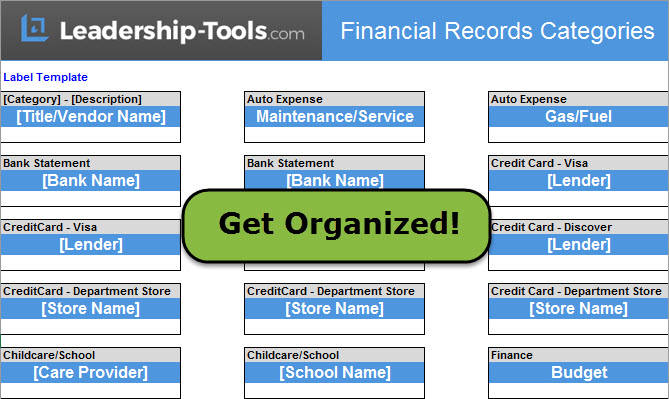
Use our financial labels template to quickly free yourself from the stress of clutter and disorganization. Gather together all your financial records, bank statements, loan documents, bills, subscriptions, receipts, etc. Separate all your financial records into piles per key categories.
Next, create customized labels that reflect the titles/categories you desire using our free Excel template.
Jump To: Download Free Template | Label Print Settings | Why Organize | Benefits of Organizing | Recommended Labels | How to Organize | Create a Habit | FAQ | Get Updates Free | Download Free eBook
Free Template to Organize Financial Records
Use our free Financial Records Label Template to quickly bring order to all of your key documents and organize personal finances with confidence.
This ready-to-use template gives you a complete set of file labels for your most important records – bank statements, loan documents, bills, receipts, insurance, taxes, and more. Instead of wondering how to set up your filing system, you can simply print, apply, and start organizing.
When you put this simple system in place, you will:
- Save time by knowing exactly where every document belongs
- Reduce stress because you can quickly find what you need when you need it
- Gain control over your financial life as you see the full picture more clearly
This free tool is part of our Leadership Tools library, which is available exclusively to subscribers of our free Leadership Tools Newsletter.
Print Settings (Use These to Avoid Misaligned Labels)
Before printing your financial records labels, use these settings to keep text aligned and readable:
Print setup checklist
- Print scale: Choose “Actual Size” or 100% (avoid “Fit to Page”)
- Test first: Print one test page on plain paper, then hold it behind the label sheet to confirm alignment
- Paper type: Use full-sheet label paper for the file folder version; or for 5366 Avery labels (shown below) use the purchased label sheets
- Printer feed: If your printer has a manual feed tray, use it to reduce skew
- Ink: “Normal” quality is usually best; “Draft” can look faint on label stock

Label specs (so you can match your supplies)
- Template type: Financial records label template (printable Excel spreadsheet template for either printing option)
- Best use: File folders, binders, envelopes, and document storage boxes
- Tip for folder tabs: Keep label text short (2–4 words) so it’s readable at a glance
Recommended Supplies
Search online for following supplies for best current prices: (These are all available on Amazon)
- File Folder Tabs, Selizo 100 Sets Hanging File Folder Labels 2" Tabs and Inserts for Hanging Files, or Avery 5366 file folder labels (also sold as 8366, 8066, 8593)
- Amazon Basics Hanging Organizer File Folders for Efficient Filing, Sturdy, Adjustable Tabs, Letter Size, Pack of 25, Green
- Print using our Template or Create Your Own Labels using Avery Printable Tab Inserts for Hanging File Folders, 1/2" x 2", 1/5 Cut, White, 100 Index Tab Inserts (11136)
Troubleshooting (fast fixes)
- If the text prints too high/low: Confirm 100% scale and re-check your printer’s “borderless” setting (turn borderless OFF)
- If columns drift: Use manual feed and avoid printing double-sided
- If labels peel or smudge: Let ink dry fully; consider “labels for inkjet/laser” that match your printer type
"Organizing is what you do before you do something, so that when you do it, it is not all mixed up."
- A. A. Milne
Why Organizing Your Finances Is Self-Leadership
When most people think about organizing their finances, they think about bills, statements, and numbers. Leaders think differently.
Self‑Leadership Means
- Choosing clarity over confusion
- Designing simple systems that support your goals
- Following through on small habits that build long‑term freedom
Benefits of Organizing Your Financial Records
- Making it easier to understand your true financial picture
- Reducing stress and decision fatigue
- Creating the foundation for bigger leadership decisions about debt, savings, and your future
The Financial Records Label Template you’ll download below is a simple, concrete way to practice self‑leadership with your money.
Key Reasons for Using Our Financial Records Label Template
There are major benefits when you take the time to organize your personal finances. As your financial life becomes more orderly, you’ll quickly notice positive changes in how you think, feel, and behave around money.
Here are just a few of the key benefits to keep in mind:
- Lower stress and better mental health. You’ll feel more balanced and poised, with greater optimism because you’re no longer constantly worried about what you might have missed.
- Improved focus and productivity. With your money “house” in order, you free up mental energy to concentrate on your most important personal and professional goals.
- Faster access to important information. Instead of wasting time hunting for lost bills, statements, or receipts, you’ll know exactly where to find what you need, when you need it.
- Reduced expenses and higher net income. When you can clearly see your complete financial picture, you make better decisions, avoid unnecessary fees, and spot easy ways to cut costs and increase cash flow.
- Greater credibility with others. A well-organized financial system builds confidence and trust with the people who see your financial situation up close, such as your spouse or partner, banker, credit counselor, or other creditors.
- More confidence and self-respect. As you begin handling your money responsibly and proactively, your self-esteem grows and you feel more in control of your future.
Without a doubt, the benefits you gain when you organize your personal finances cannot be overstated. Managing your finances in an organized way is not a temporary fix or something you do only until today’s problems are solved.
Recommended Financial Records Labels (Starter Set)
If you want a simple, reliable system, start with this label set.
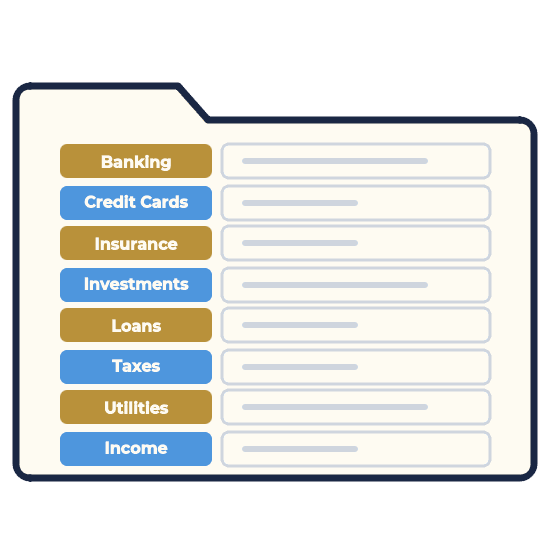
These categories cover the most common household financial records categories without getting overly complex. Add or edit categories to fit your current situation.
How to customize? (keep this simple)
- Add years where needed: “Tax Returns 2026,” “Insurance 2026,” “Medical 2026”
- If you’re self-employed, add: “Quarterly Taxes,” “Business Receipts,” “Invoices,” “Business Banking”
- If you prefer fewer folders, merge categories (example: combine all insurance into one “Insurance” folder)
Core label set (copy/paste into the Excel label template)
Banking
- Checking
- Savings
- Credit Cards
- Bank Statements
Income
- Pay Stubs
- W-2 / 1099
- Other Income
Taxes
- Tax Returns (Year)
- Tax Documents (Year)
- Tax Receipts (Year)
Bills & Utilities
- Utilities
- Phone / Internet
- Subscriptions
Insurance
- Health Insurance
- Auto Insurance
- Home / Renters Insurance
- Life Insurance
Home & Property
- Mortgage / Lease
- Property Taxes
- Home Repairs
- Major Purchases / Receipts
- Warranties / Manuals
Vehicles
- Registration
- Maintenance / Repairs
Medical
- Medical Bills
- Explanation of Benefits (EOB)
Investing & Retirement
- 401(k) / 403(b)
- IRA
- Brokerage
- Investment Statements
Personal & Legal
- IDs / Vital Records
- Estate Documents
- Contracts / Agreements
How to Organize Personal Finances Using Free Labels Template
A financial records label template is only as helpful as the system behind it. The steps below turn your labels into a working filing system, so bills, tax documents, and statements stop piling up in random places.
1. Download and Print Financial Records Labels
Click to open the file, then print it on regular paper or adhesive label sheets.
Inside the Records Labels template, you’ll find ready-made labels for common categories such as:
- Banking and Savings
- Credit Cards and Loans
- Household Bills and Utilities
- Insurance
- Taxes
- Retirement and Investments
There are also a few blank labels you can customize for your unique situation (for example, “Childcare,” “Side Business,” or “Medical”).
2. Gather Key Financial Documents
Before you start filing, bring everything to one place. Don’t worry about sorting yet, just gather all your financial information. Look for:
- Bank and credit union statements
- Credit card statements
- Mortgage or rent documents
- Auto, student, and personal loan statements
- Insurance policies (home, auto, life, health, disability)
- Tax returns and supporting records
- Pay stubs and income records
- Retirement and investment statements
- Any other recurring bills or important financial paperwork
Place everything on a clear surface (table, desk, or even the floor). This is your “starting point” as a money leader - you’re facing reality with courage instead of avoiding it.
3. Create Labeled Folders or Envelopes
Next, turn your printed labels into a simple, easy-to-maintain filing system.
- Choose your containers: Use file folders, large envelopes, or an accordion file. It's totally up to you.
- Attach the labels: Cut out or peel each label and attach it to a folder or section. Start with the core categories from the template.
- Add custom labels if needed: Use the blank labels to create categories that fit your life (e.g., “Small Business,” “College Savings,” “Medical Bills”).
Aim for a healthy balance: Create enough folders to keep things clear, but not so many that the system becomes complicated. Your goal as a self-leader is to keep things simple for easy ongoing maintenance.
4. File Documents with a Self-Leadership Mindset
Now, take each document from your pile and make a decision: “Where does this belong?”
- Decide intentionally: For every paper, pause for just a moment and choose the best folder. This is you taking ownership of your financial life, one small decision at a time.
- Think of your future self: Ask, “If I needed this quickly six months from now, where would I naturally look for it?” File it there.
- Finish the job: Work through the entire stack until every document has a home. Don’t leave half-filled piles lying around. Leaders finish a job completely.
As you go, you may notice gaps (missing statements, expired policies, unclear balances). Simply jot these down on a notepad - you’ll address them during your upcoming “Money Leadership” session.
5. Schedule Your First “Money Leadership” Session
To turn this from a one-time clean-up into a true leadership habit, schedule dedicated time on your calendar.
Set aside 30–60 minutes within the next week for your first “Money Leadership” session. During that time, you will:
- Finish any remaining filing and tidy up your space
- Review each labeled folder and confirm you have what you need
- Note any missing documents or questions you want to resolve
- Identify any debts, fees, or issues you’d like to tackle using the 10 Steps to Conquer Debt system
Give this session a name in your calendar (for example, “Step 2: Money Leadership Session”) so it feels important, because it is.
By the end of this process, you'll have your personal finance records organized, using a simple routine you can build on. This one tool becomes a practical expression of self-leadership and a strong foundation for moving confidently through the rest of the 10 Steps to Conquer Debt.
Make It a Habit: Your Personal Finance Self-Leadership Routine
Creating a system to organize personal finance records is powerful. Using it consistently is where true self‑leadership shows up. The Financial Records Label Template is designed to make that easy. All you need is a simple routine you can repeat month after month.
Here’s a straightforward habit you can follow:
1. Choose Your Regular “Money Leadership” Time (as defined earlier)
Pick a specific day and time that fits your life. For example:
- The first Saturday of every month, or
- Every other Sunday evening, or
- The 15th of each month, after work
Put it on your calendar as a recurring appointment and treat it like any other important meeting. Remember, good leaders show up for their commitments.
2. Spend 15–30 Minutes Updating Your Folders
During each session, use your labeled system to quickly bring everything up to date:
- File new statements, bills, and important notices into the correct folders
- Remove obvious clutter you no longer need (expired offers, duplicates, junk)
- Add any new categories or custom labels if your situation has changed
Because your labels are already in place, this should be fast and almost automatic. The goal is to stay current, not to be perfect.
3. Scan for Gaps and Issues
Next, take a quick look through your folders:
- Is anything missing that you expected to see?
- Are there bills you haven’t opened yet?
- Do any accounts, fees, or interest rates concern you?
Jot down a short list of follow‑ups. You don’t need to solve everything during this short session, you just need to notice and capture what needs attention.
4. Acknowledge Your Progress
Self‑leadership includes recognizing growth. At the end of each session, pause for a moment and notice:
- Your paperwork is no longer in random piles
- You can find key documents in seconds
- You feel more informed and in control
You may still have financial challenges, but you’re no longer avoiding them. You’re leading yourself through them.
5. Connect the Habit to the 10 Steps to Conquer Debt
As this routine becomes familiar, you’ll be ready to go beyond organizing and into active change. Your labeled system makes it easier to:
- Organize financial records - seeing all your debts clearly
- Gather the numbers you need for a payoff plan
- Track progress as balances decrease
That’s where the 10 Steps to Conquer Debt system comes in. This monthly “Money Leadership Session” habit gives you the organized information and confidence you need to apply each step - from clarifying your debts to creating a realistic, leadership-driven plan for becoming debt‑free.
Used consistently, this simple routine does more than organize personal finance records. It reinforces your identity as the leader of your financial life, turning a basic filing system into an ongoing act of self‑leadership.
Frequently Asked Questions (FAQ)
Click on the (+) sign below to expand each question. Click the (-) sign to collapse it again.
Is this financial records label template really free?
What's the difference between the two label styles, and which should I use?
The template includes two styles so you can match how you already file. The hanging tab inserts are small printed strips you fold and slide into the clear plastic tabs on hanging folders. The flat file folder labels are peel-and-stick labels (Avery 5366) that go right onto a folder's tab. If you keep hanging folders in a drawer, use the inserts. If you label manila folders, binders, or boxes, use the flat labels.
What labels or supplies do I need to buy?
For the flat labels, buy Avery 5366 file folder labels (2/3 in x 3-7/16 in, 30 per sheet, white). The same size is also sold as 8366, 8066, and 8593. For the hanging tab inserts, you'll want 2-inch, 1/5-cut hanging-file tabs; Avery's ready-made inserts (11136) fit those tabs. You can also print either style on plain paper and cut by hand.
Which file should I download: PDF, Excel, or Google Sheets?
Use the PDF if you're happy with the categories as they are and just want to print. Choose Excel or Google Sheets if you want to rename labels, add your own, or adjust anything before printing. They all hold the same labels; the only difference is whether you want to edit first.
Can I use regular paper instead of label sheets?
Yes. Print on plain paper, then cut out each label and tape it to a folder or slide it into a hanging tab. It's a smart way to test your layout before you commit a sheet of label stock, and it works fine as a no-cost option on its own.
Can I add or rename categories?
Yes. Open the Excel or Google Sheets version and type over any label to rename it. The template also includes a few blank labels for categories that are unique to you, such as Childcare, Side Business, or Medical. A simple rule of thumb: add a new category only after you've gone looking for it twice and it wasn't there.
Why are my labels printing misaligned?
Almost always it's the print scale. Set it to Actual Size or 100%, never Fit to Page. Print one test page on plain paper and hold it behind your label sheet to confirm the fit before printing for real. If the text sits too high or low, turn off your printer's borderless setting, and use the manual feed tray if you have one to reduce skew.
Do I need a color printer?
A color printer gives you the full navy and gold look, but it isn't required. The labels print cleanly in black and white or grayscale and stay just as readable. If you're low on color ink, grayscale is a perfectly good choice.
Can I reuse these year to year, especially for taxes?
Yes. Most categories carry over from one year to the next, and for anything tied to a specific year you can add the year to the label, like Tax Returns 2026 or Tax Documents 2026. When a new year starts, print a fresh set of the year-specific labels and leave the rest in place.
Is this only for personal finances?
No. It works just as well for simple small-business or side-income paperwork. Add a few categories like Business Banking, Quarterly Taxes, Invoices, or Business Receipts, and the same system keeps your business records as orderly as your personal ones.
10 Steps to Conquer Debt eBook

Want the entire leadership tools library? Subscribe to our free newsletter and we'll send you a link to every tool on this site, all on one page, sorted by leadership phase. Every tool is free to download on its own page. The library just puts them in one place. Plus, you'll never miss out on updated or new tool announcements.
Your privacy is important to us. We never share or sell email addresses.
Leadership Tools Newsletter
Subscribe Free - See All Tools on One Page - Get New Tool Alerts
More 10 Steps to Conquer Debt Tools

Contact Information:
phone
(503) 970-9777
Email Customer Service
helpsupport@leadership-tools.com
Email Richard
richard@leadership-tools.com

By Richard Gorham
Leadership-Tools.com
2879 Riverwalk Loop, Eugene, Oregon, 97401
Copyright (c) 2002 - 2026 All Rights Reserved