If the message is routine and low-risk, an email is fine. If you need a formal record, a consistent format, or a more professional external message, a business letter template helps.
- Home
- Leading People
- Business Letter Writing Templates
Business Letter Templates: Copy, Customize, and Send with Confidence
This free business letter template pack gives you ready-to-use templates, real business letter samples, and simple formatting guidance, so you're not starting from a blank page. Copy the wording, adjust the details, and send it.
The collection was built to help business owners and leaders handle professional correspondence across a wide range of situations, from a simple request to a formal notice that needs exactly the right tone.
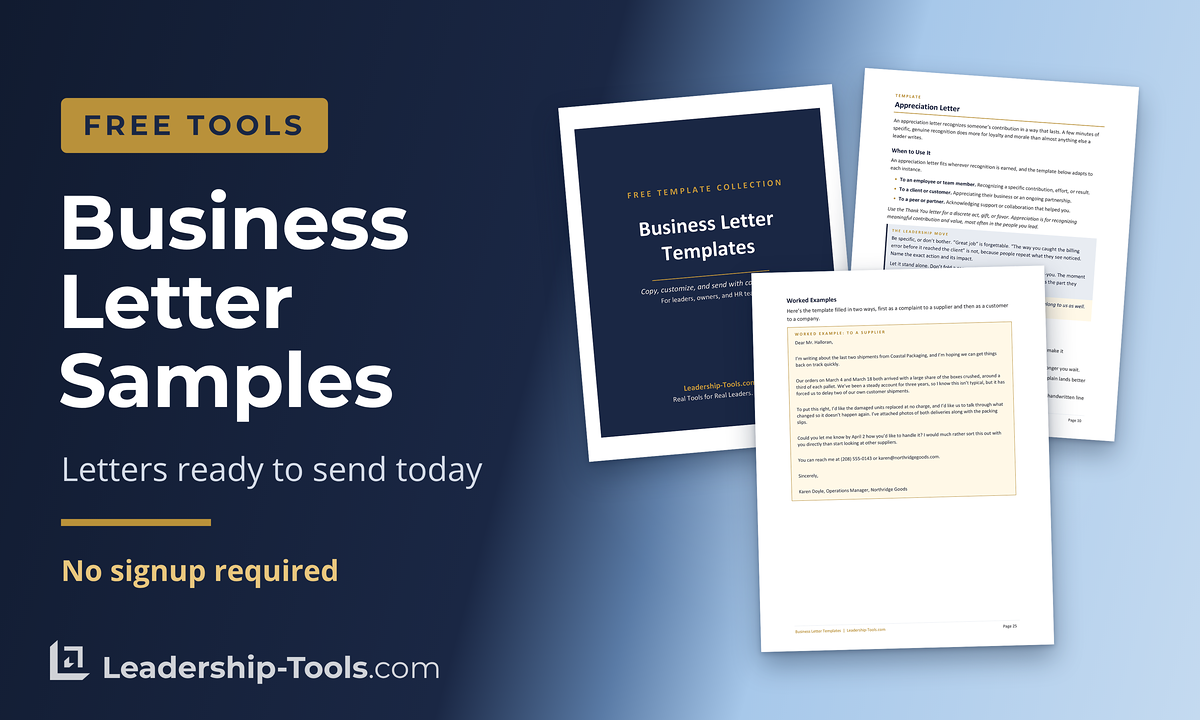
Download Free Business Letter Templates:
If you lead people, run a small business, or support managers in HR or L&D, sooner or later you have to write something that's clear, professional, and easy to stand behind later. It might be a request with a deadline, a follow-up after a hard conversation, a customer or vendor issue, or a notice that has to be handled with care.
Every template here is already formatted and written in plain, professional language, with directions for filling in each section. The point is less second-guessing and more consistent communication when it matters most.
This is part of our free leadership tools and resources series for managing people, built to be practical, lightweight, and easy to use in real life.
Jump To: Overview | Who Is This For? | Collection of Templates | How to Use | Business Letter Format | Examples | Business Letter Tips | Benefits | Common Pitfalls | FAQ | Get Updates Free | Download Templates
Overview: What's Included
The free business letter template collection covers the situations leaders write about most, and every template comes ready to adapt. Inside, you'll find:
- Ready-to-use business letter templates for common workplace situations
- A quick reference for when to use each letter, and the tone that fits
- Directions for completing every section of the template
- Practical tips on when to keep it formal, and when an email will do
Every letter here is built to be short and easy for the reader to act on.
Who This Is For
You will get the most value from these templates if you are:
"Whether written or face-to-face, you cannot overstate the importance of effective communication."
- A new manager who needs to set expectations plainly
- A small-business owner who wants more consistent communication
- A remote-team leader who needs decisions and requests documented
- An HR or L&D professional who supports managers with plug-and-play tools
- A coach who wants clean examples clients can reuse
Typical moments where a business letter template helps:
- You need to make a request and set a deadline for a common issue
- You need to confirm what was agreed to in a conversation
- You need to address a problem without escalating it
- You need to document next steps for accountability
- You need a formal message for a customer, vendor, or partner
Quick note: if your situation involves legal risk (termination, written warnings, discrimination claims, pay disputes), treat the templates as a starting point and involve HR or legal counsel before sending.
Collection of Business Letter Templates
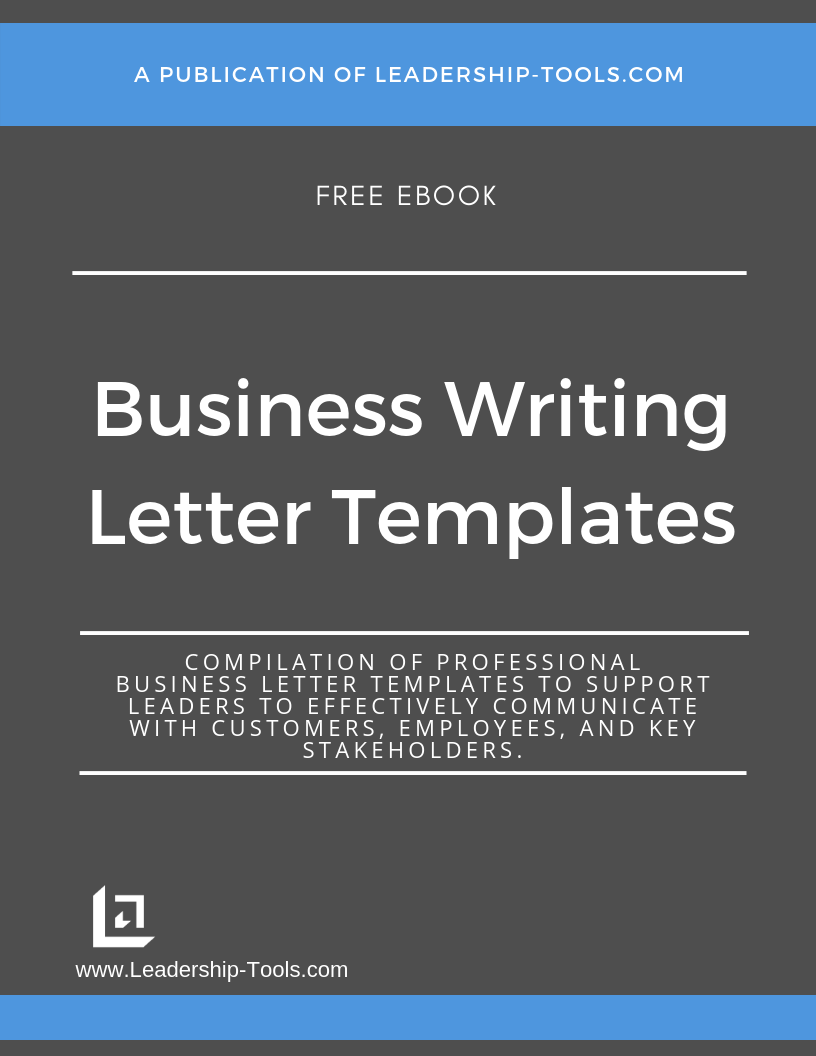
You can review our entire collection of templates by going through the individual page links below, or you can download a full compilation as a free ebook from our library of leadership tools. For your quick and easy reference, all business letter templates have been compiled into a single pdf ebook.
Here is a list of the various types of business letter templates currently available in our collection. Click on each card to learn more about each type of letter.
 Apology LetterWhen an error affects a customer or client.View template ›
 Appreciation LetterRecognize someone’s ongoing effort and contribution.View template ›
 Collection LetterRecover overdue payments while protecting the relationship.View template ›
 Complaint LetterMake your point to a vendor or partner.View template ›
 Condolence LetterOffer support with a caring, professional tone.View template ›
 Congratulations LetterMark a promotion, retirement, or milestone.In the free download
 Cover LetterPair with a resume for a job application.View template ›
 Donation Request LetterAsk for support for a good cause.View template ›
 Employment Offer LetterPut a job offer in writing, in plain terms.View template ›
 Introduction LetterMake a strong first impression with prospects.View template ›
 Recommendation LetterVouch for someone you believe in.View template ›
 Resignation LetterResign gracefully and on good terms.View template ›
 Termination LetterEnd employment carefully, fairly, and on record.View template ›
 Thank You LetterThank someone for a specific act or gift.View template ›
 Welcome LetterStart a new relationship on the right foot.View template ›
 Written Warning LetterDocument a performance or conduct issue, fairly.In the free download
To get started, open any template above to read the full details, or download the complete collection of all sixteen Business Letter Templates as a free eBook.
"Communication - the human connection - is the key to personal and career success."
- Paul J. Meyer
How to Use This Business Letter Template Pack (step-by-step)
To ensure professional business communications, you only need a few minutes and simple routine you can repeat anytime a message matters.
This step-by-step walkthrough shows you exactly how to use the business letter template pack so you can move from “blank page” to a clear, professional letter in minutes. You will pick the right scenario, drop in the key facts, and make the next step unmistakable, without overexplaining or sounding stiff.
Follow the steps in order the first time. After that, you’ll have a reliable system you can use for requests, follow-ups, customer or vendor issues, and documentation that needs to be clean and consistent.
Step 1: Choose the Scenario that Matches Your Goal
Ask yourself: what do I want the reader to do after they read this?
- Approve a request
- Deliver information
- Change behavior
- Confirm an agreement
- Resolve an issue
Step 2: Fill in the “Facts” Before You Polish the Tone
Draft first with concrete details:
- Names and dates
- What happened (only what you know)
- What needs to happen next
- Deadlines and owners
- How the person can respond or ask questions
Step 3: Use the “CALM” Check Before You Send
This is a quick leadership filter you can use on any letter.
- C: Clear. Can the reader summarize your point in one sentence?
- A: Accurate. Are you stating facts, not assumptions?
- L: Limited. Did you keep it to one main topic and a few key details?
- M: Measurable next step. Did you state what happens next, and by when?
If your letter passes CALM, it will usually land well.
Step 4: Read It Out Loud Once
If it sounds harsh, it will read harsh. If it sounds vague, it will create follow-up questions. Fix it now, not after you hit send.
Step 5: Save a Copy Where It Belongs
If the letter is about performance, commitments, or policy, store it in the appropriate system. That can be a client file, employee file (with proper access), or a project folder.
Business Letter Format
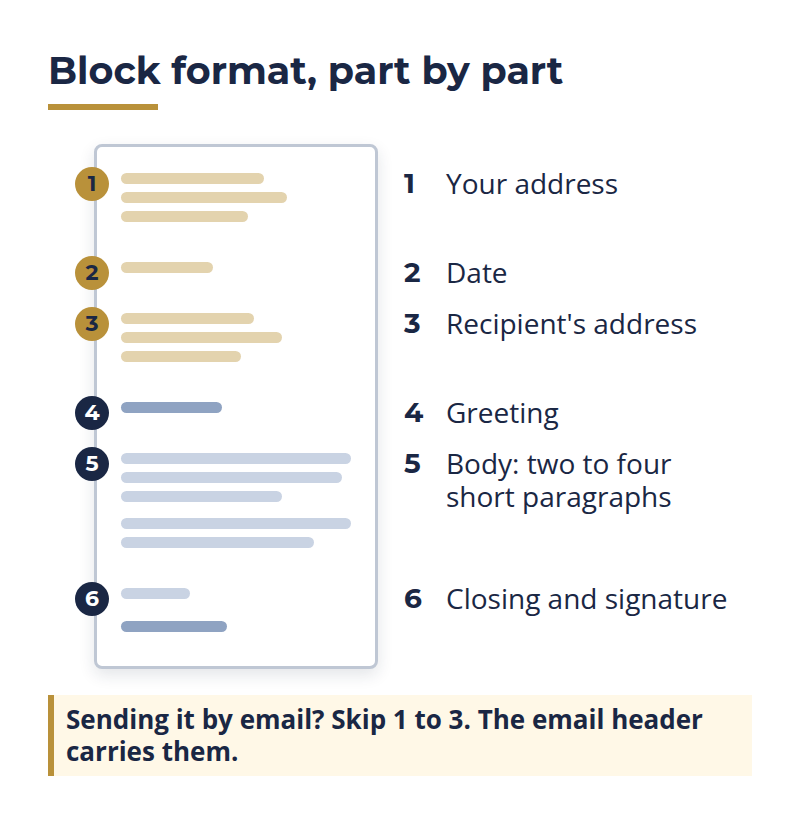
Most professional letters in the US use block format: everything left-aligned and single-spaced, with a blank line between paragraphs. It's clean, familiar, and easy to read, and every template in this pack already follows it.
A standard business letter includes these parts, in order:
- Your name, title, and return address
- The date
- The recipient's name, title, and address
- A greeting, such as Dear Ms. Rivera,
- The body, usually two to four short paragraphs
- A closing such as Sincerely, followed by your signature and typed name
Sending it as an email instead? Drop the address block and the date, since the email header already carries them, and keep the greeting, the body, and the sign-off.
Business Letter Examples
Sometimes the fastest way to write a strong letter is to start with a solid example and adjust it to fit your situation.
The business letter sample examples below are written in plain, professional language, with clear next steps and a calm tone you can use in most workplaces. These examples can be copied and inserted into a full template as you see fit. Pick the one that’s closest to what you need, swap in your names, dates, and details, and then tighten it so it says exactly what you mean in as few words as possible.
If you’re unsure, aim for three things: a clear purpose in the first lines, the key facts in the middle, and a specific next step at the end.
1) Request with a Deadline
Subject: Request for updated project timeline
Hello [Name],
I’m writing to request an updated timeline for the [Project Name] work. Please send the revised schedule, including key milestones and any risks, by [Day, Date] so we can confirm commitments with the team.
If you need input from me to finalize the dates, reply with your questions and I’ll respond by [timeframe].
Sincerely,
[Your Name]
[Title]
[Phone] | [Email]
2) Confirming an Agreement After a Conversation
Subject: Confirming next steps from our meeting
Hello [Name],
Thank you for meeting with me on [Date]. This note confirms what we agreed to:
You will [Action 1] by [Date].
I will [Action 2] by [Date].
We will check in on [Date/Time].
If I missed anything, reply by [Date] and I’ll correct it. Otherwise, I’ll proceed based on the plan above.
Sincerely,
[Your Name]
3) Addressing an Issue Without Escalating
Subject: Follow-up on [Issue]
Hello [Name],
I’m following up about [Issue] observed on [Date]. The impact was [brief impact in plain language]. Going forward, please [specific expectation].
If something is blocking you from meeting this expectation, let me know by [Date] so we can solve it quickly.
Sincerely,
[Your Name]
4) Customer/Vendor Problem
Subject: Request to resolve [Order/Invoice/Service Issue]
Hello [Name],
I’m writing about [problem] related to [order/invoice/project], dated [date]. We need this resolved by [date] to avoid disruption to our operations.
Please confirm by [date/time] whether you will:
Option A: [resolution], or
Option B: [alternative resolution].
Thank you,
[Your Name]
[Company]
If you want, you can turn any of these example templates into a longer letter by adding context in one or two short paragraphs. Just be sure not to "over-communicate" as you don't want to dilute your intended purpose of the message.
Business Letter Writing Tips
Next, let’s review a few common tips that leaders should abide by each time they put their pen to paper to write an effective business letter.
Consider the following tips for effective business writing when using our free business letter templates.
Get to the Point
A quality business letter is short and concise. All the key information is provided briefly and in a well-organized way.
It’s very important to consistently include a date on all correspondence. Make a note of the day you receive correspondence as well. This can prove highly valuable if you ever need to prove the timing of an event.
While you always want to ensure a civil tone and a professional manner, you also don’t want to use any more space than necessary. Always be respectful of the recipient’s time. Maintain a balanced approach in terms of being cordial and staying on topic.
Upfront State the Purpose
In today's fast-paced work environment, professionals process more written material than ever. Leaders manage their time closely, and they set a letter aside fast if they can't see its purpose or benefit right away.
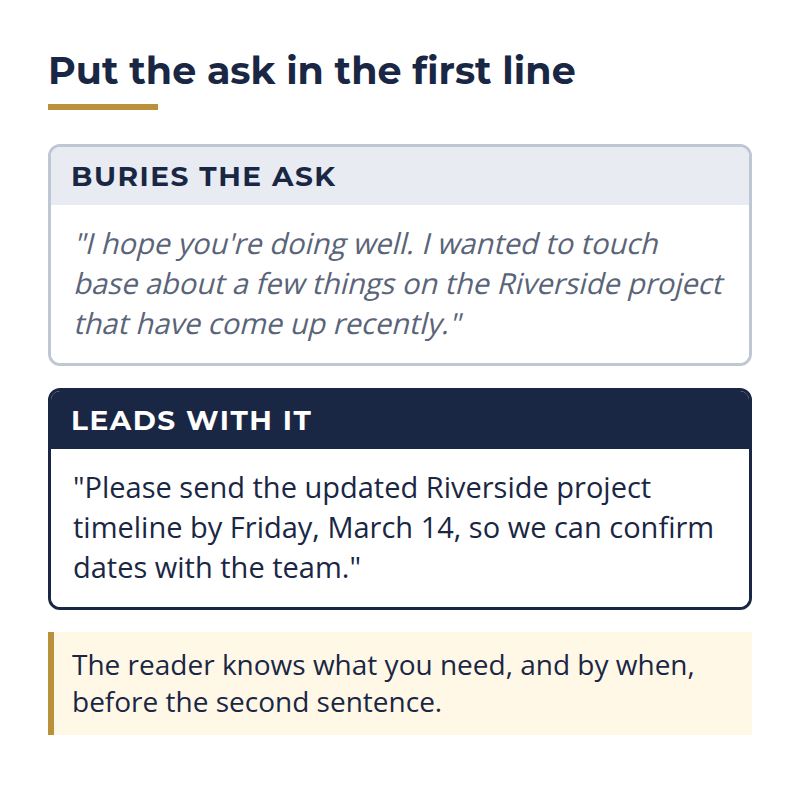
Don’t make the mistake of thinking that every word of your letter will be read, unless it’s short and to the point. For these reasons, it is necessary to state your purpose in the opening sentence of the letter.
Keep it Professional
Although in some cases your intention may be to personally connect with the recipient of your letter, you still must maintain a professional tone. For legal reasons, and just to ensure you aren’t blurring the lines of personal and professional, it’s best to keep it professional.
Pay close attention to possible run-on sentences as these become tiresome to the reader very quickly. Readers can easily become lost to the meaning of your words if too many words are used in one sentence.
You don't want to annoy or create a perception of being uneducated or unprofessional by not adhering to the proper use of English and proper grammar.
Always Proofread Before Sending
Too often a new manager will create an important letter, sign and mail it without ever taking the time to proofread it for errors. Whenever possible, let some time pass after writing your letter. Then come back to the letter with a fresh eye to proofread. Odds are that you will be surprised at the number of errors you will be able to find.
Be patient. It takes some time to write a good business letter. However, it won’t take you nearly as much time when you leverage our business letter samples.
Create a Master File
Leaders are often required to write letters for the same types of
situations throughout any given year. Smart leaders maintain a special file they can refer to or examples of good business
letters. Our free business letter templates should go in this
file as a quick and easy reference tool for future communications with customers and employees.
Understand the Benefits (for you, your team, and your organization)
Even simple communication issues can cost you hours. People misread tone, deadlines get missed, and you end up doing extra follow-ups that should not be necessary.
Our collections of business letter templates give you a repeatable way to say what you mean, in a professional format that holds up over time for common communication needs. It helps you communicate with confidence, protect working relationships, and create clear written records when it matters.
Below is how it pays off three ways: for you, for the team you lead, and for the wider organization.
For You as a Leader
- You stop spending mental energy rewriting the same messages
- You communicate with less emotion and more intention
- You create a repeatable system for common situations
- You reduce “I thought you meant…” misunderstandings
For Your Team
- People know what you expect, and what “good” looks like
- Requests feel fairer because they are specific and consistent
- Follow-ups feel less personal and more process-based
- It becomes easier to coordinate work, especially remotely
For the Organization
- More consistent communication across managers
- Cleaner documentation when decisions need to be reviewed later
- Fewer avoidable conflicts caused by unclear messages
- A more professional external voice with customers and vendors
Common Pitfalls
Even with a solid business letter template, it’s easy to make small mistakes that create big headaches.
Most problems aren't about grammar. They are about clarity, tone, and follow-through. The good news is these pitfalls are predictable, so you can avoid them with a quick check before you send.
Use the points below as a simple “pre-flight list” to keep your letter professional, fair, and easy for the reader to act on.
Pitfall: Being vague to avoid discomfort
Fix: Put the ask in the first 2–3 lines. Add a deadline. Name the next step.
Pitfall: Over-explaining
Fix: One topic per letter. If you have three issues, write three short messages, or schedule a conversation and document the outcome.
Pitfall: Sounding harsh or legalistic when it isn't necessary
Fix: Use plain words. Be direct, but human. Save heavy language for true compliance situations, with HR support.
Pitfall: Mixing facts with assumptions
Fix: Separate what you observed from what you suspect. If you don't know, say what you need clarified.
Pitfall: Using templates as a substitute for leadership
Fix: A letter cannot replace a real conversation. Use the letter to support the conversation, confirm next steps, or reduce confusion.
If you take nothing else from this page, take this: the best business letter is the one that makes the next step obvious.
Keep it clear, keep it factual, and keep the tone calm. Pair that with a repeatable template, and you sound like a steady leader rather than someone trying to win an argument.
Then save your final version, so you have a clean record you can rely on later if questions come up.
Frequently Asked Questions (FAQ)
You probably don’t need a “perfect” letter. You need one that’s clear, professional, and easy to act on. These quick FAQs cover the most common questions leaders and small-business owners ask when they’re using a business letter template, including formatting, what to include, and when an email is enough.
If you don’t see your situation here, use the closest template and focus on the basics: state the purpose of your correspondence early, include the key facts, and end with a specific call to action or next step.
Click on the (+) sign below to expand each question. Click the (-) sign to collapse it again.
Should I use a business letter or an email?
What are the parts of a business letter?
A standard business letter includes your return address, the date, the recipient's name and address, a greeting, the body, and a closing with your signature and typed name. All of the templates in this pack follow that order.
What is the best format to use in the US?
Block format is the safest default. It is clean, common, and easy to scan, with everything left-aligned. All of our business letter templates use block format.
Do I need to include a subject line in a printed letter?
Not always, but it helps when the topic is serious, time-sensitive, or likely to be filed later.
How long should a business letter be?
Most business letters fit on a single page. Aim for two to four short paragraphs: your purpose, the key facts, and the next step. If you need more room than that, a conversation may work better.
How do I address a letter when I don't know the recipient's name?
Do your best to find the name, since it always lands better. If you can't, use a title such as Dear Hiring Manager, or Dear Customer Service Team. Avoid To Whom It May Concern when a more specific greeting is possible.
Are these business letter templates free to download?
Yes. Every template is free. You can download the full pack as a PDF, a Word document, or a Google Doc, and subscribing to the free newsletter unlocks the entire leadership tools library.
Can I edit the templates in Word or Google Docs?
Yes. The pack comes in Word and Google Docs formats you can edit directly, plus a PDF for quick reference. Replace the bracketed fields with your own details and adjust the wording to fit.
Can I use these templates for performance documentation?
Yes, as a starting point for clarity. For higher-stakes situations, coordinate with HR and follow your organization's policies.
How do I keep templates from sounding robotic?
Add one human sentence that fits the situation, then keep the rest structured and clear. For example: I appreciate the effort you've put in here, and I want to make sure we're aligned on next steps.
When should I send a letter instead of just talking it out?
Use a letter when you need a record, when the details are easy to misread, or when the message is formal enough to warrant it. For anything sensitive, pair the letter with a real conversation, since the letter supports the conversation rather than replacing it.
Download Free Business Letter Templates | Free eBook
Want the entire leadership tools library? Subscribe to our free newsletter and we'll send you a link to every tool on this site, all on one page, sorted by leadership phase. Every tool is free to download on its own page. The library just puts them in one place. Plus, you'll never miss out on updated or new tool announcements.
Your privacy is important to us. We never share or sell email addresses.
Leadership Tools Newsletter
Subscribe Free - See All Tools on One Page - Get New Tool Alerts
More Leadership Tools for Managing Your Team




Richard Gorham has led teams in financial services for more than 30 years, from retail branches and operations to investments and insurance, and he still leads a team today.
He founded Leadership-Tools.com in 2002 to give managers free, practical tools like the ones he used in his various leadership roles. Every tool here has been used in a real workplace and comes with a filled-in example you can follow.

Contact Information:
phone
(503) 970-9777
Email Customer Service
helpsupport@leadership-tools.com
Email Richard
richard@leadership-tools.com

By Richard Gorham
Leadership-Tools.com
2879 Riverwalk Loop, Eugene, Oregon, 97401
Copyright (c) 2002 - 2026 All Rights Reserved